- C++ 93.4%
- C 5.9%
- Meson 0.4%
- Shell 0.3%
| Filename | Latest commit message | Latest commit date |
|---|---|---|
| icons/hicolor | ||
| src | ||
| .gitignore | ||
| com.dec05eba.gpu_screen_recorder.desktop | ||
| install.sh | ||
| LICENSE | ||
| meson.build | ||
| project.conf | ||
| README.md | ||
| TODO | ||
| uninstall.sh | ||


GPU Screen Recorder GTK
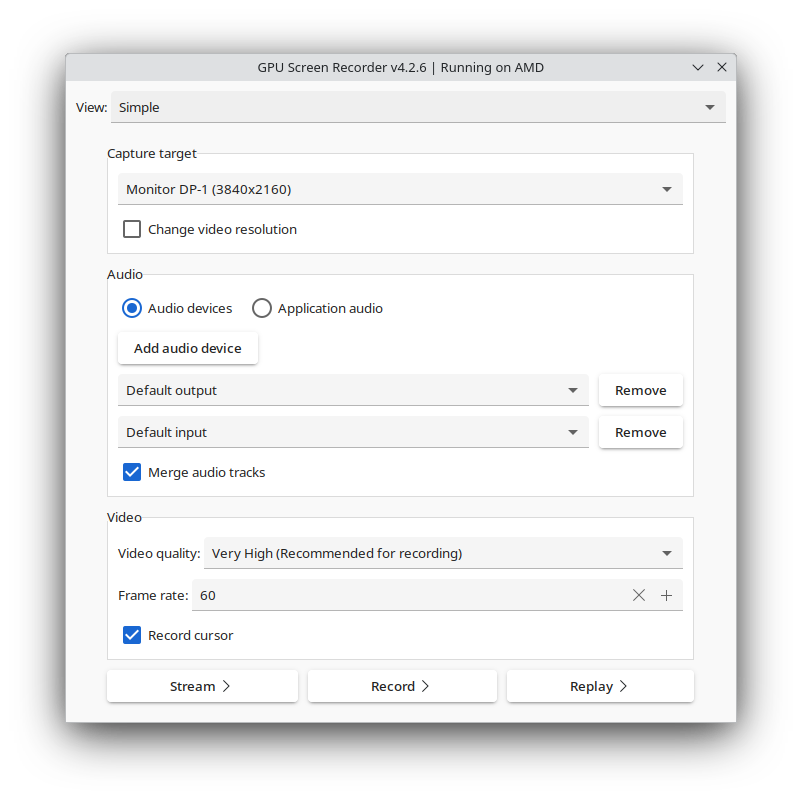
GTK frontend for GPU Screen Recorder.
There is a new alternative UI for GPU Screen Recorder in the style of ShadowPlay available here: GPU Screen Recorder UI.
Notes
The program has to be launched from your application launcher or hotkeys may not work properly in your Wayland compositor (this is the case with GNOME).
Deprecation
This project is no longer being developed as it has been superseded by GPU Screen Recorder UI which has more features. This means that this project will only receive bug fixes and no feature updates. This project will remain available until GPU Screen Recorder UI can run as a regular window, just like GPU Screen Recorder GTK does.
The com.dec05eba.gpu_screen_recorder.appdata.xml file has been moved to the AppData repository.
Installation
If you are using an Arch Linux based distro then you can find gpu screen recorder gtk on aur under the name gpu-screen-recorder-gtk (yay -S gpu-screen-recorder-gtk).
If you are running another distro then you can run sudo ./install.sh, but you need to manually install the dependencies, as described below.
You can also install gpu screen recorder from flathub which includes this UI.
Dependencies
GPU Screen Recorder GTK uses meson build system so you need to install meson to build GPU Screen Recorder GTK.
Build dependencies
These are the dependencies needed to build GPU Screen Recorder GTK:
- gtk3
- libx11
- ayatana-appindicator3-0.1
- desktop-file-utils
Runtime dependencies
There are also additional dependencies needed at runtime:
Reporting bugs, contributing patches, questions or donation
See https://git.dec05eba.com/?p=about.
Screenshots